
RSVP, forms and ticket links
Some gatherings are simply open. For others you want to know who is coming, ask a few questions first, or send people to a sign-up page you already use. Pick the way that fits your event.
Four ways, at a glance
- Open event. People just come. Every new event starts like this, and there is nothing to set up.
- RSVP. Guests answer with one tap. You see who is coming and can limit the number of spots.
- Registration form. Guests answer a few questions, and you confirm each person yourself.
- External link. A button leads to a sign-up or ticket page you already have elsewhere.
To choose, open your event and tap SET UP TICKETING. You can do this on a draft or after publishing.
RSVP: set it up
RSVP suits most gatherings: a yoga morning in the park, a music evening by the lake.
- Tap SET UP RSVP-BASED ADMISSION.
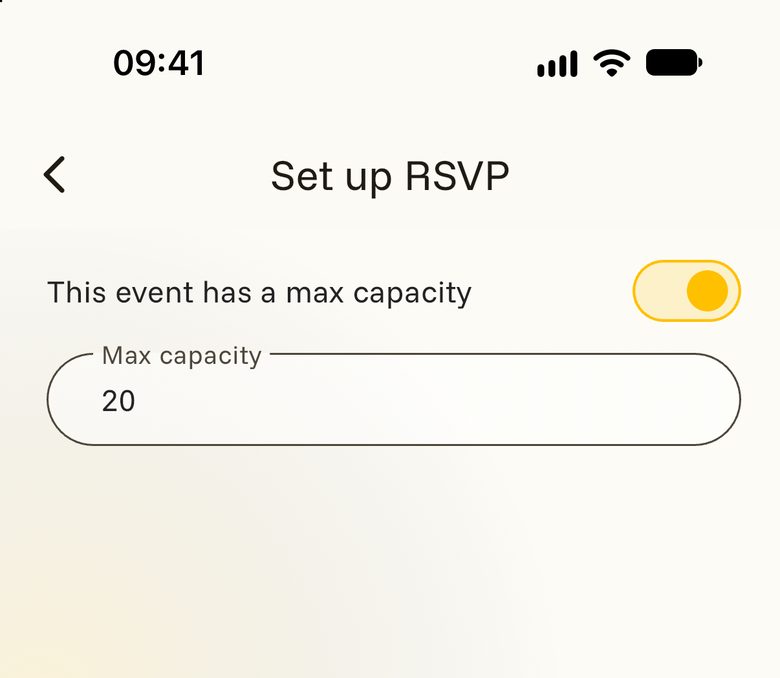
- Limited room? Switch on This event has a max capacity and enter the number of spots.
- Tap DONE.
From now on your event page shows how many people are coming and how many spots are left. Tap that line to see the list. You also get a notification each time someone new is going.
RSVP: what guests see
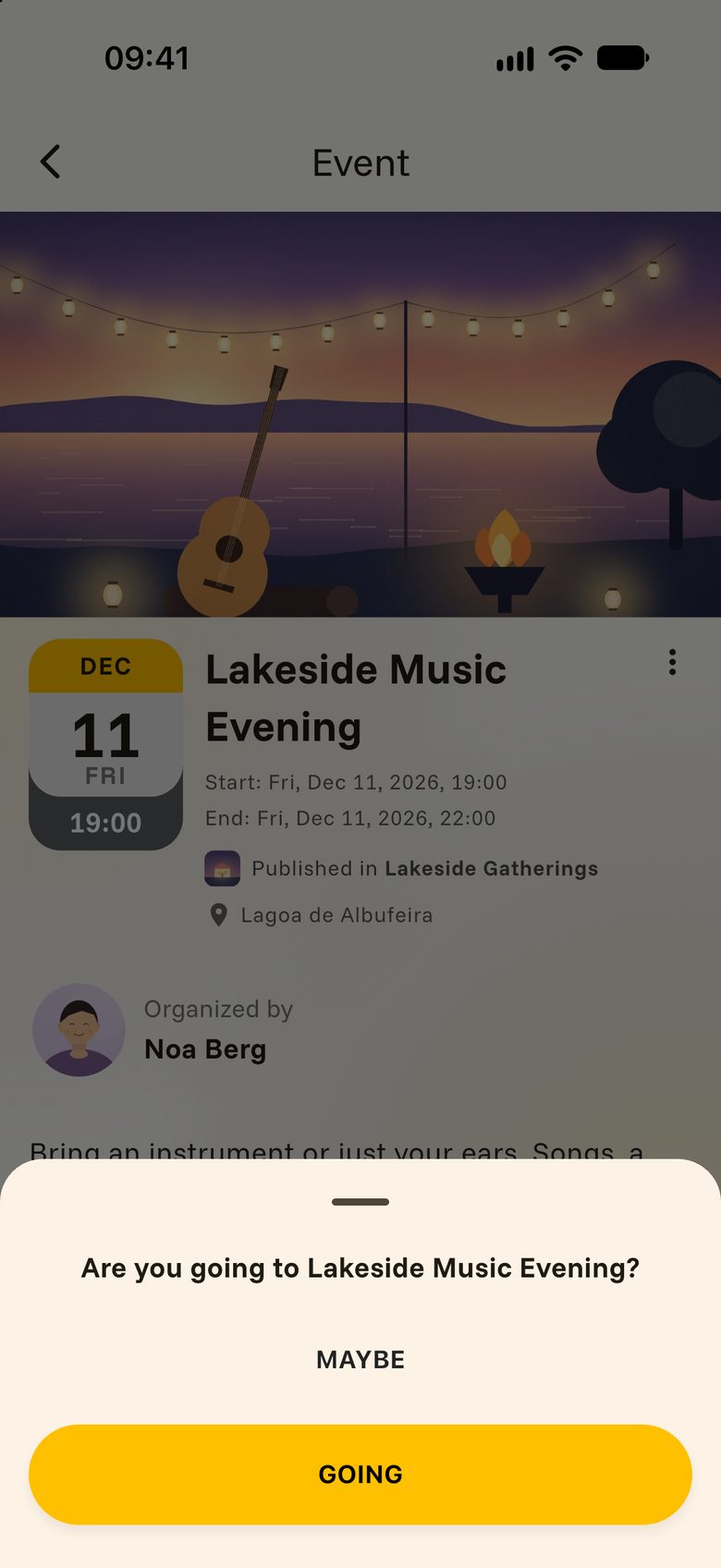
On your event, guests find the RSVP button. They tap it and answer GOING or MAYBE.
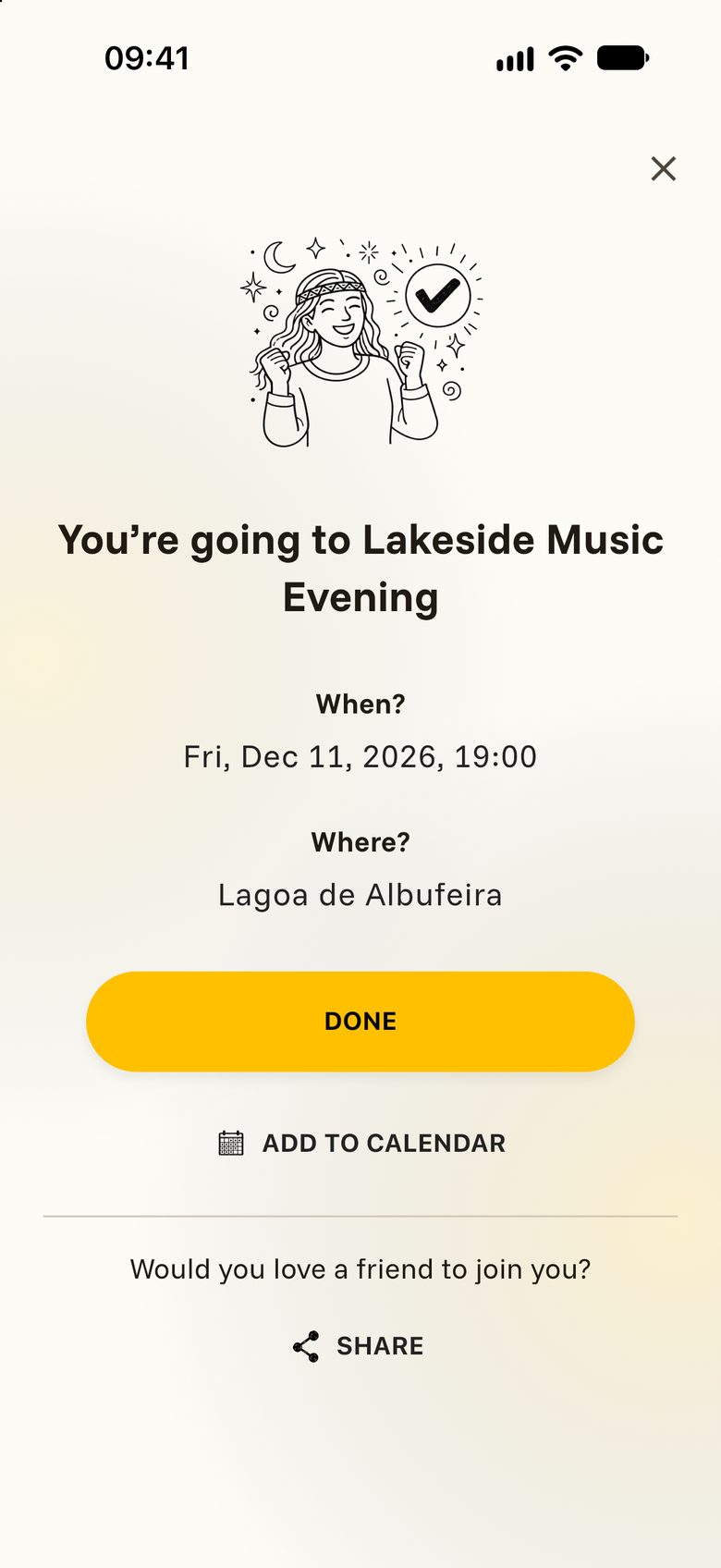
Whoever is going sees a confirmation with when and where, can tap ADD TO CALENDAR, and receives an email with their ticket. They are also invited to your space.
Plans change. Guests can tap the button again and switch their answer. When every spot is taken, the button reads Event is full. If someone steps back, their spot is free again.
Registration form
A form is the right choice when you would like to know a little more before you say yes. Think of a small tea workshop with twelve places, or a brunch where you need to know who brings what.
- Tap SET UP REGISTRATION FORM, limit the spots if you wish, and tap DONE. Auras prepares a form that asks for name, email and phone.
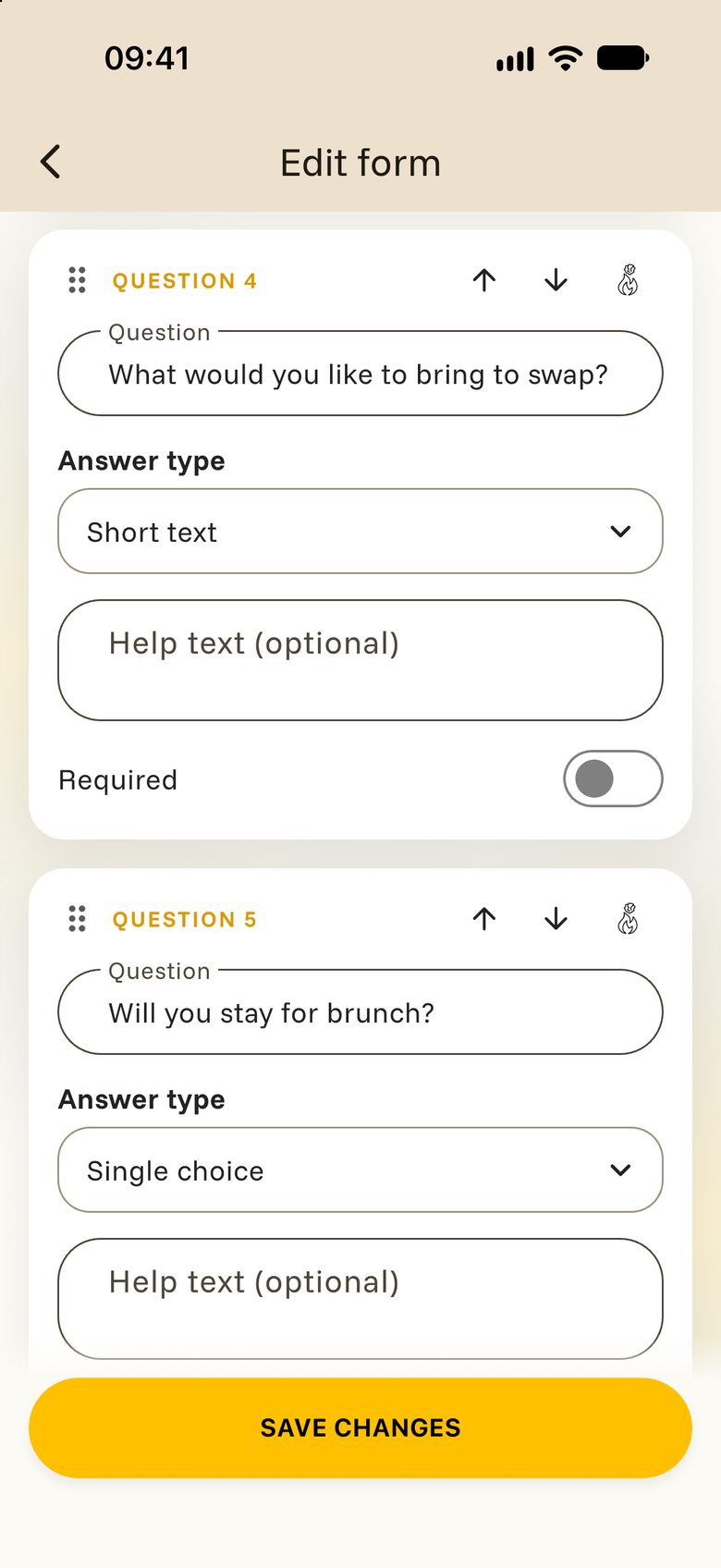
- Tap EDIT FORM to make it yours. With Add question you add a question and choose its Answer type, such as Short text or Single choice.
- Tap Save changes.
Guests tap REGISTER, fill in the form and send it. Their sign-up then waits for you.
To confirm someone, open the list of participants, look at their answers with View answers and confirm. The guest receives a ticket by email, and their button changes to TICKET CONFIRMED. Only confirmed guests take a spot.
Good to know: The button that confirms a guest reads SET TO PAID in the app. Tap it when everything is settled between you and the guest. That is their yes from you.
External link
Do you already take sign-ups somewhere else, for example on the website of your festival? Then simply point people there.
- Tap ADD AN EXTERNAL TICKETING LINK.
- Paste the full address of your page, starting with https://.
- Tap DONE.
Guests see a TICKETS button that opens your page. Because the sign-up happens elsewhere, Auras keeps no guest list for this event.
Open events
If you set nothing up, guests see no button at all. They can still read every detail, share the event and simply show up. Perfect for a garden work morning where every pair of hands is welcome.