
Guests, tickets and check-in
The day is getting closer. Here is where guests find their ticket, and how you and your crew see who is coming and welcome everyone at the door. All of this applies to events with RSVP or a registration form.
For guests: your events and your ticket
Tap EVENTS at the bottom of the screen and open Going. Every event you said yes to is waiting there.
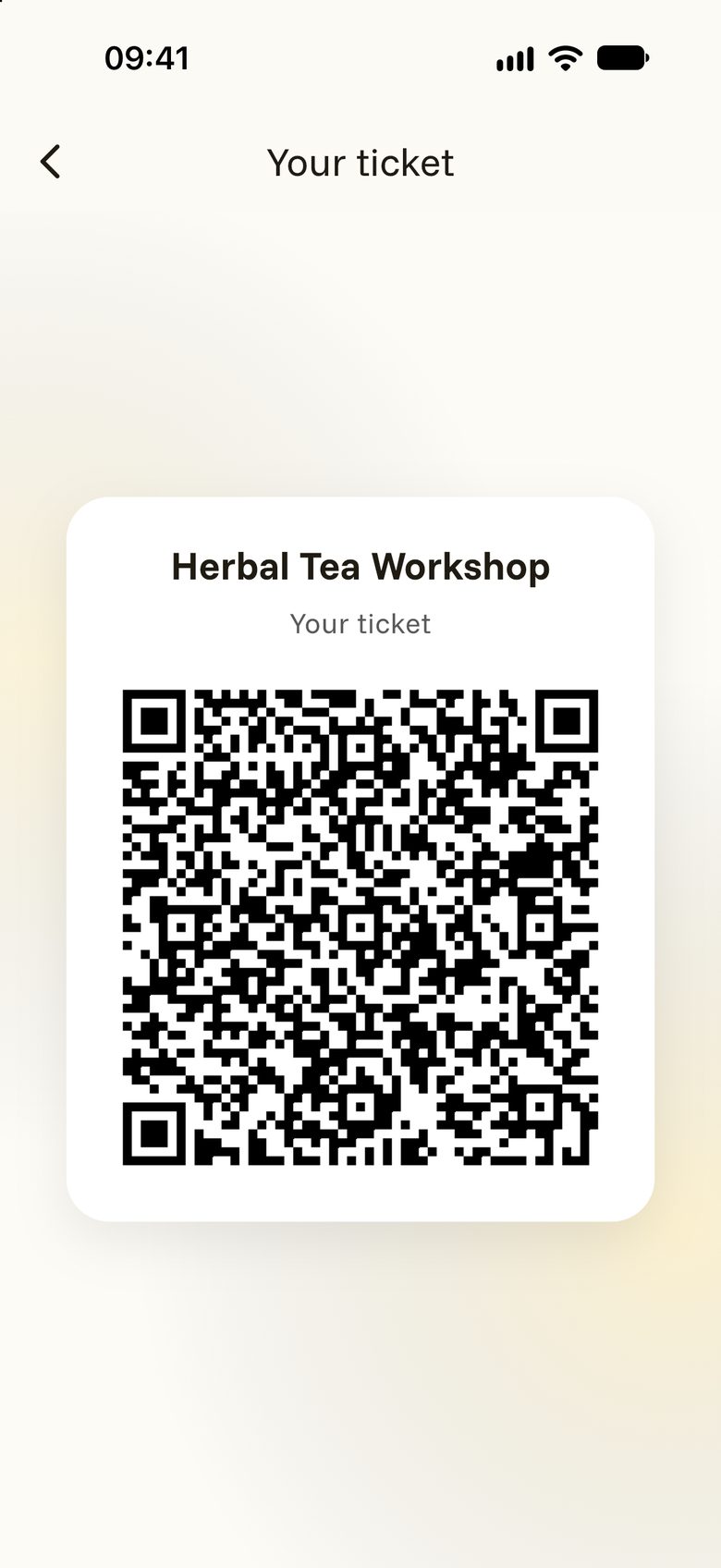
Everyone who is going has a personal ticket with a QR code. It arrives in your confirmation email. From the day before the event, you also find it on the event page: tap YOUR TICKET.
Two more things are worth a tap:
- ADD TO CALENDAR puts the event into your phone’s calendar.
- The number of people going shows you who else is coming among the people you know.
When you are going to an event, you are also invited to its space. You are free to accept or decline.
For organisers: who is coming
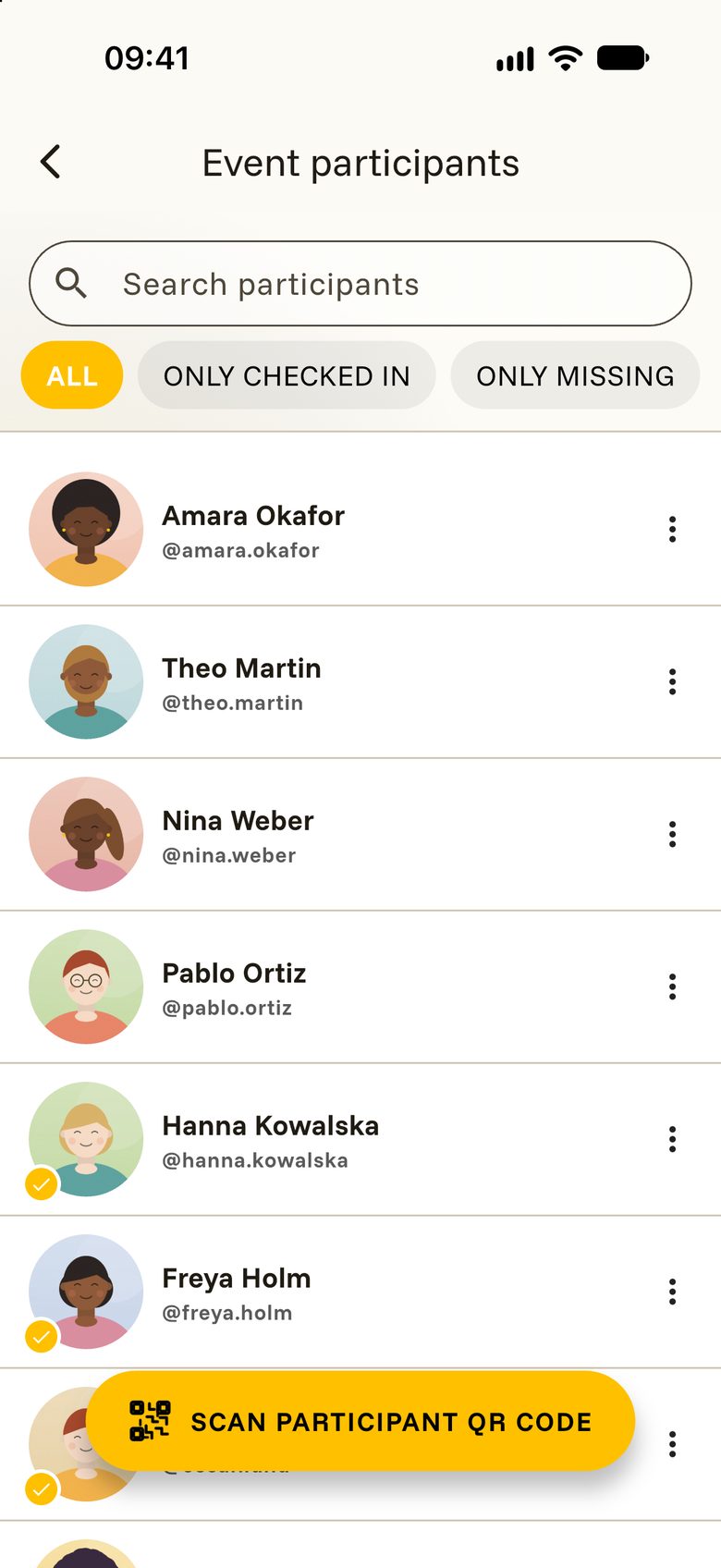
On your event page, tap the line that shows the number of participants. The list opens. Only you and your crew can see it.
You can search for a name, or narrow the list with ALL, ONLY CHECKED IN and ONLY MISSING. People who answered “Maybe” are listed separately at the end.
Check-in at the door
Checking in is a friendly hello with a phone in your hand.
- Open the list of participants and tap Scan participant QR code. From the day before the event, there is also a SCAN button right on the event page.
- Point the camera at your guest’s code.
- Their name appears. Say welcome and tap DONE.
The guest gets a tick in your list, and their ticket now tells them to enjoy the event. Your crew can check in guests too, each with their own phone.
Handy options for organisers
The three dots on your event hold a few more helpers:
- Add contact information for participants: gives your guests a button to reach you by phone, WhatsApp or Telegram.
- Close admissions: stops new sign-ups at once. Reopen admissions lets people in again.
- Participant invitations: decide whether everyone who is going is invited to your space, or only the guests who were checked in.