
Members and stewards
A space lives through its people. Here is how to invite them, welcome those who ask to join, and share the care of the space with other stewards.
The members list
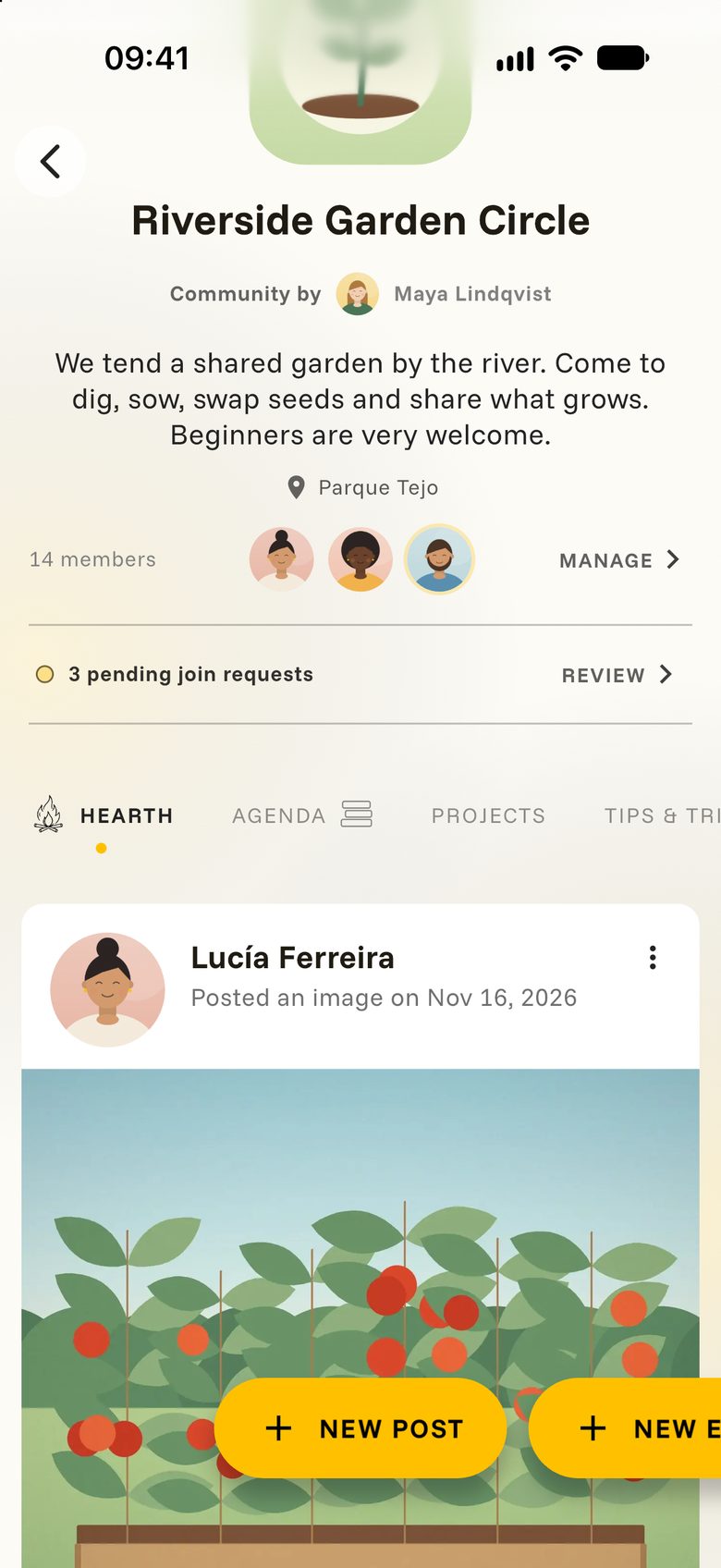
On your space, look for the row with the member count and a few photos. As a steward you see Manage there. Tap it.
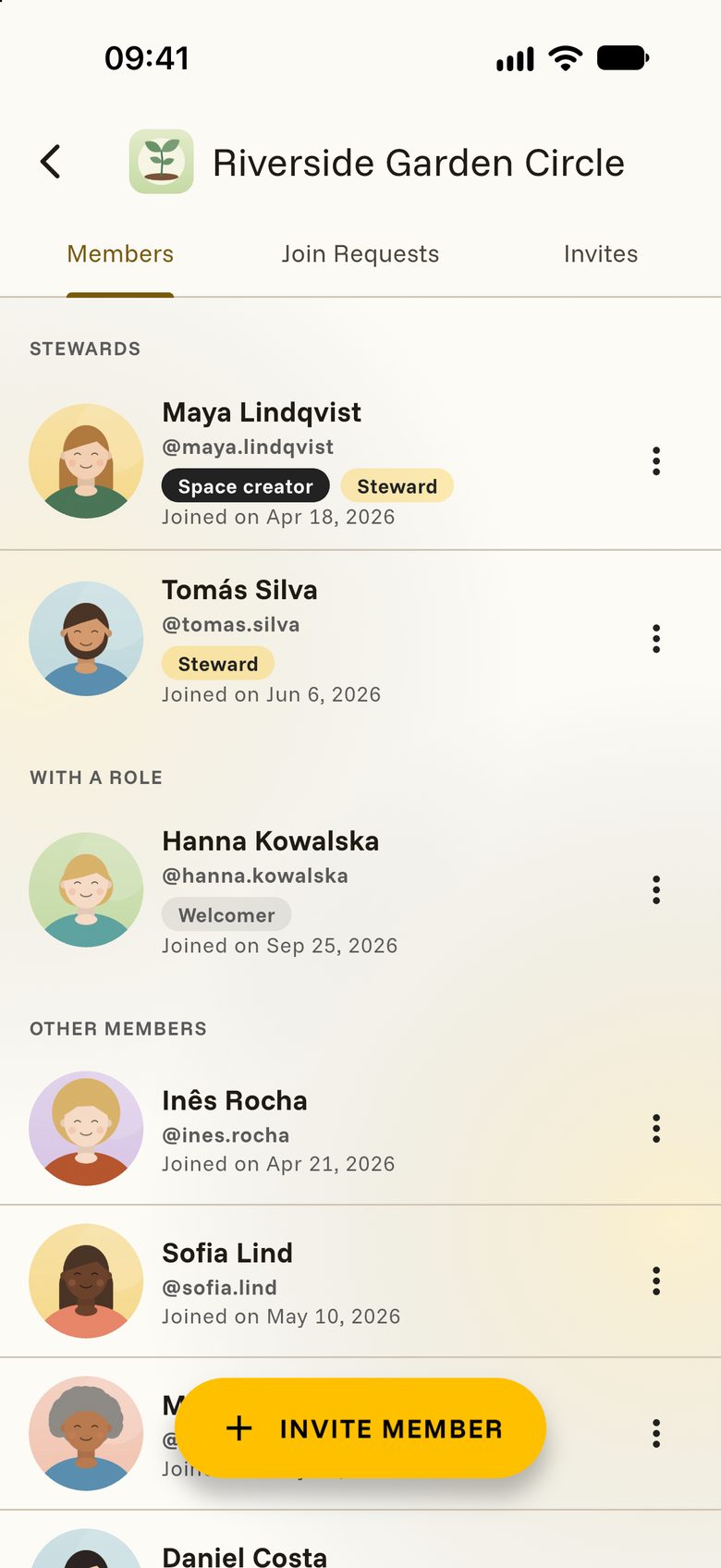
You get up to three tabs: Members, Join Requests and Invites. Members are grouped into Stewards, people With a role, and Other members.
Invite people
An invitation is the warmest way in. For an Invite only space it is the only way.
- Tap Manage, then Invite member.
- Search for the person by name or username.
- Tap them. You will see Invitation sent.
The person finds your invitation on the space and can accept or decline. Until they answer, it waits in the Invites tab, where you can also take it back.
Would you like to watch it first? The video in Shape your space shows an invitation from start to finish.
Join requests
If you switched on Approve every new member yourself, visitors tap REQUEST TO JOIN and wait for your yes.
Your space then shows a small box with the number of open requests. Tap REVIEW and accept or decline each person.
Stewards and roles
A steward is someone who looks after the space. Stewards can edit it, invite people, answer join requests and keep the feed tidy. Whoever created the space is always one of them.
Looking after a space is lighter when shared:
- Tap Manage.
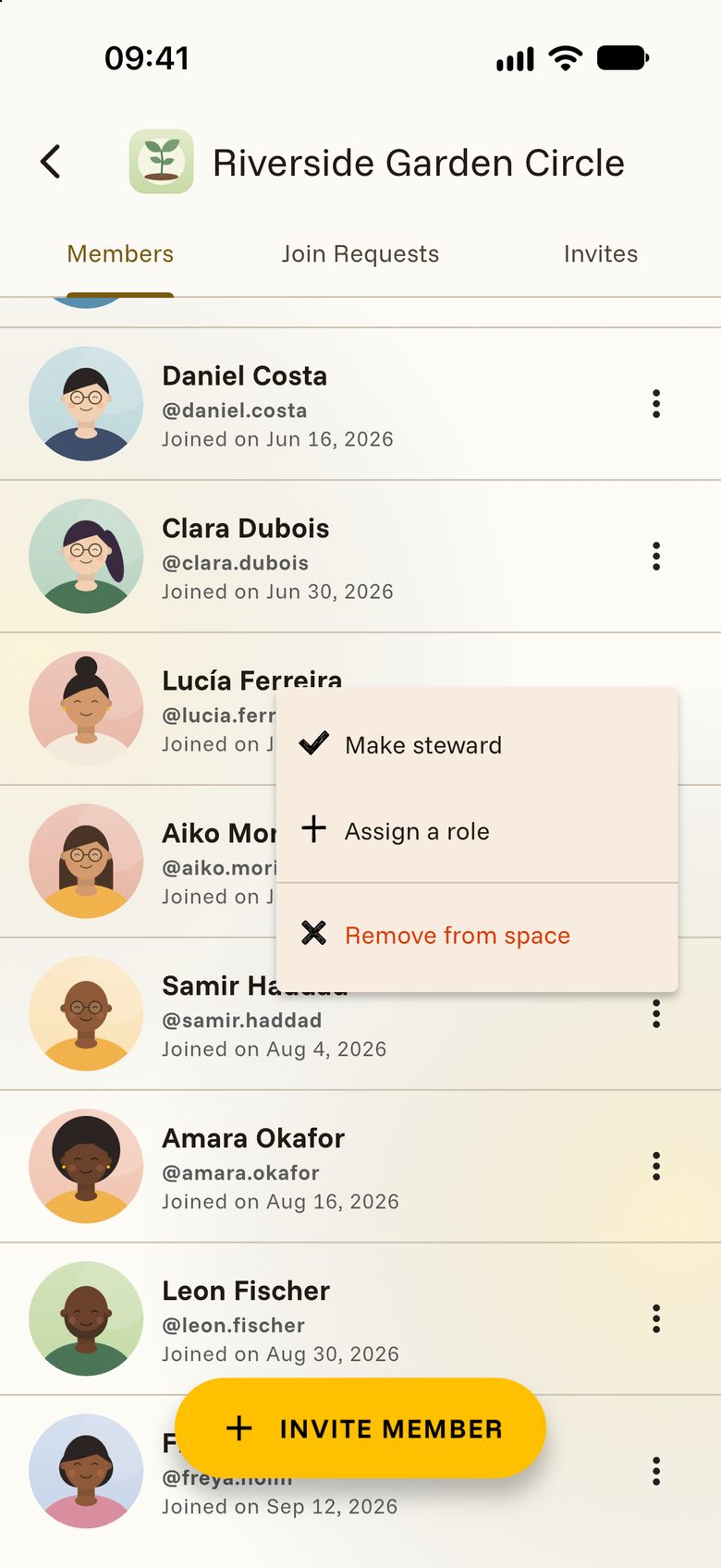
- Tap the three dots next to a member.
- Choose Make steward and confirm.
With Assign a role you give someone a small title, shown as a badge next to their name. It is a nice way to show who welcomes newcomers or who tends the tomato beds. Roles marked Can manage this space also let the person help as a steward.
Keeping the feed tidy
Tap the three dots on any post to pin it to the top, move it to another tab or delete it.
If Posts need your approval is on, new posts wait for a steward, who taps APPROVE or REJECT.
Saying goodbye
To remove someone, tap Manage, then the three dots next to their name, then Remove from space.
To leave a space yourself, tap the three dots on the space and choose Leave space. In a space you follow, it is called Unfollow space. You can come back later.