
Create a space
A space is a home for people who belong together: a gardening circle, a yoga collective, a venue, a festival crew. Opening one takes six small steps, and almost everything can be changed later.
Where to start
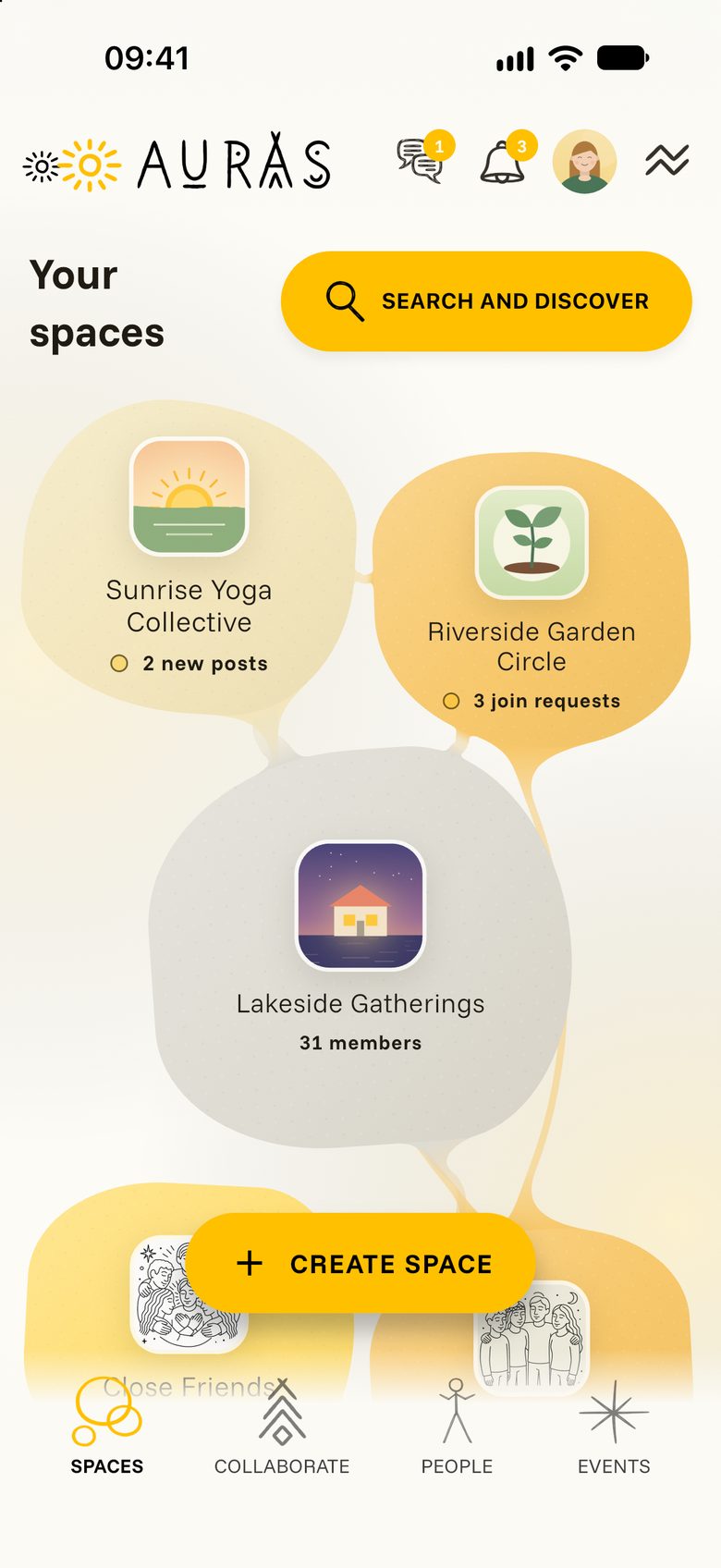
Tap SPACES at the bottom of the screen. Your spaces shows every space you created or joined as a coloured shape, with small notes when something is new.
Tap Create Space to begin.
The six steps
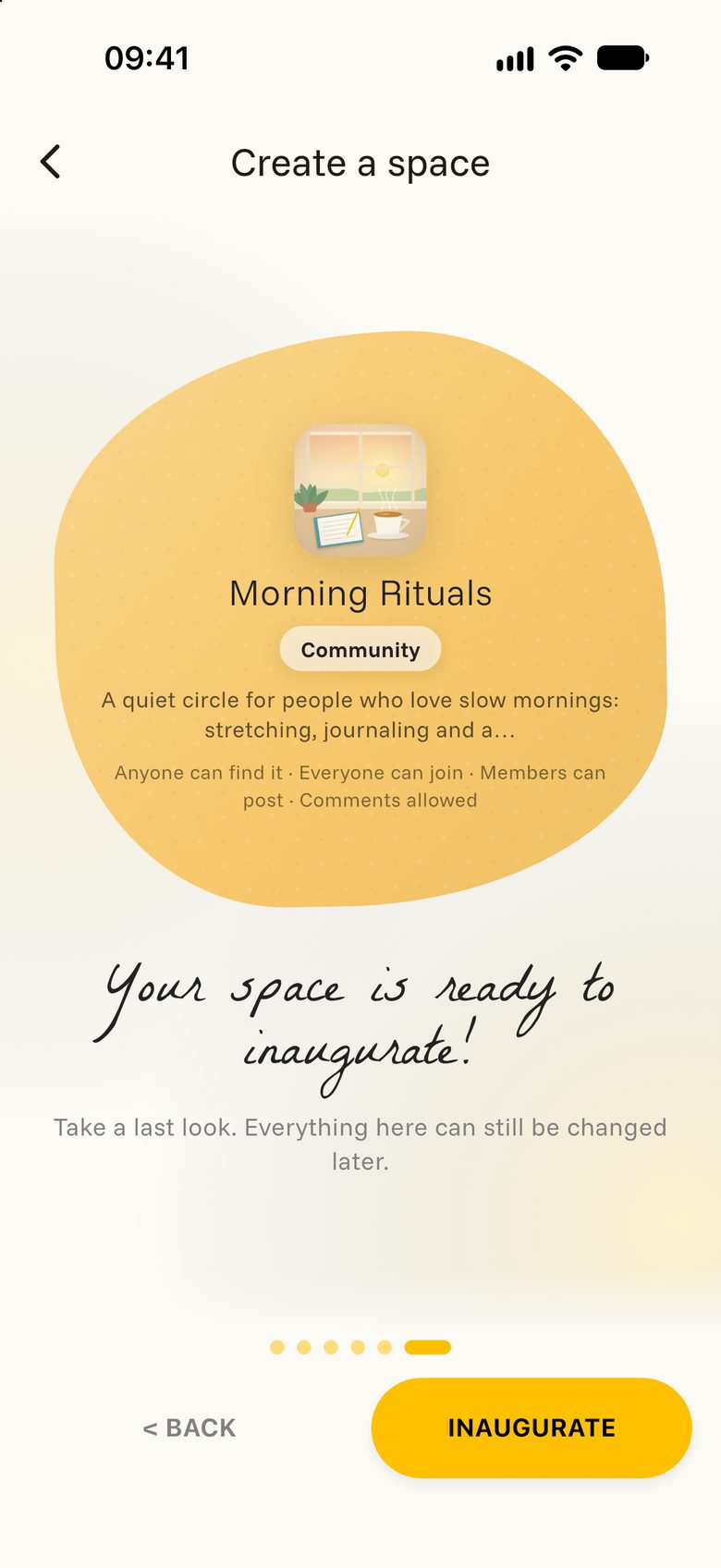
Auras asks one question at a time. Move on with NEXT and go back with BACK. A small preview card grows as you answer.
- Name. What shall people call your space? “Morning Rituals”, for example.
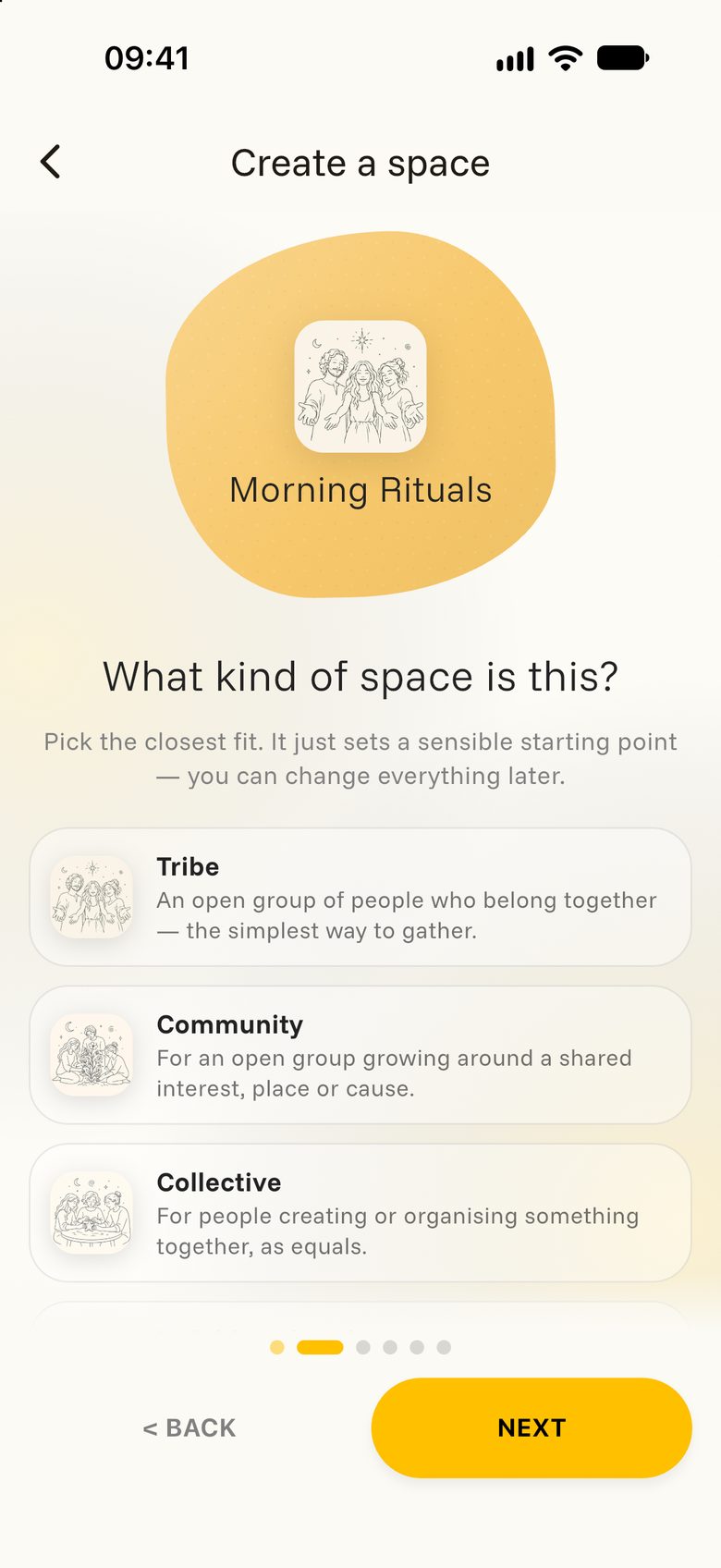
- Kind. Tap the closest fit. The kind simply chooses sensible settings to start with.
- Details. Write a few warm sentences in Description. Add a Location if your space belongs to a place, and the languages you speak there.
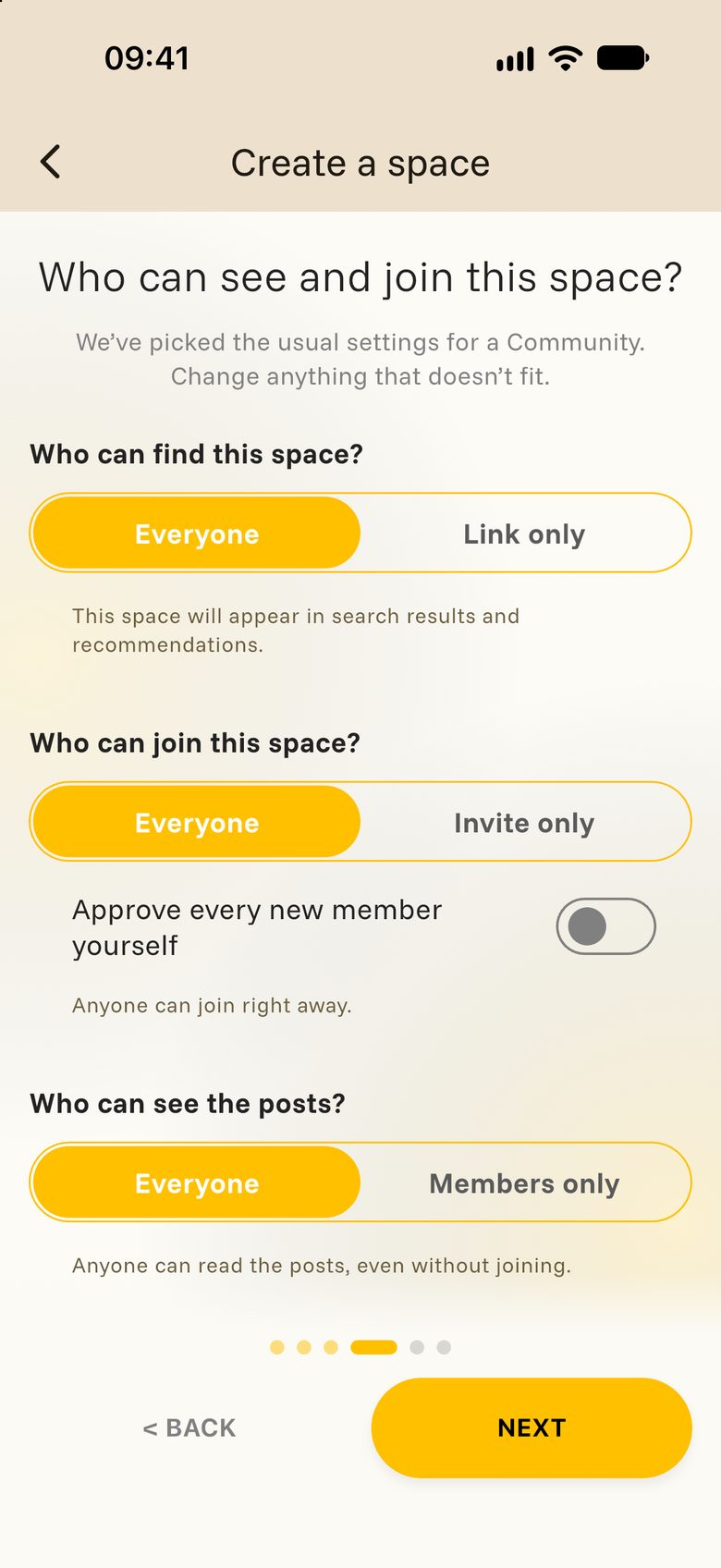
- Privacy. Decide who can find, join and read your space. More on that below.
- Picture. Choose a picture, then move and zoom until it sits well. Or tap SKIP and add one later.
- Ready. Take a last look at the summary and tap INAUGURATE.
Which kind is yours?
There are a dozen kinds. A few to give you the idea:
- Tribe or Community: an open group that anyone can find and join.
- Circle: a close group that stays out of search and grows by invitation.
- Place: a venue, a garden, a retreat house.
- Project: a team working towards something together.
- Portfolio, Content channel or Blog: you publish, and people follow and comment.
Privacy in three questions
The usual answers for your kind of space are already selected. Change only what doesn’t fit.
- Who can find this space? Everyone, or Link only for people you send the link to.
- Who can join this space? Everyone or Invite only. Switch on Approve every new member yourself if you would like to say yes to each person.
- Who can see the posts? Everyone or Members only.
Three switches below decide whether members can post, whether posts wait for your approval, and whether members can comment.
After you inaugurate
Your space opens straight away. You are its first steward, the person who looks after it, and you carry the Space creator badge.
Good next steps:
- Shape your space: add a cover, write a few rules, organise the feed.
- Invite people and share the care with other stewards.
- Plan a first event.